
Change App Color
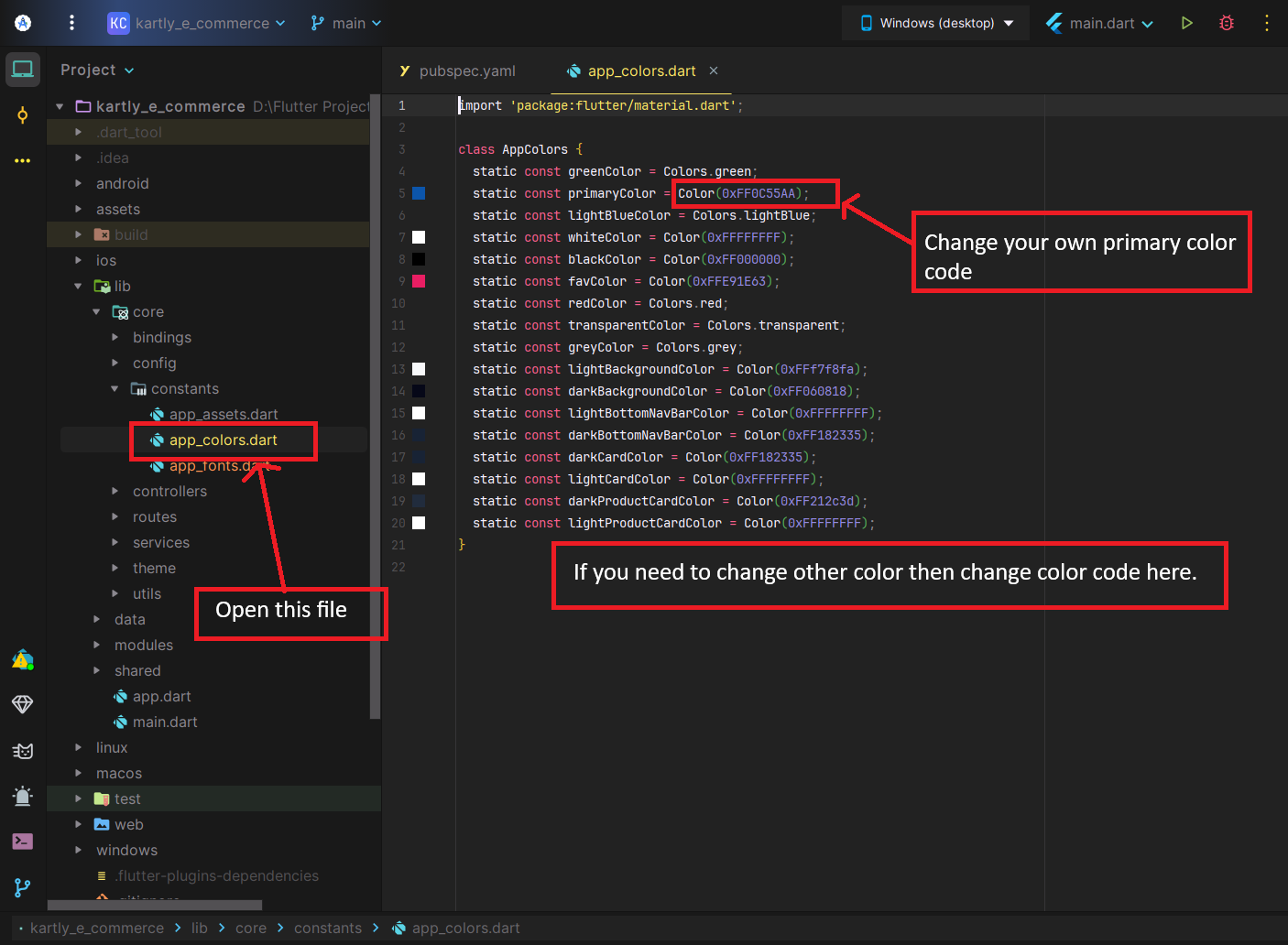
If you want to customize app theme color then follow
Open the <project>/lib/core/constants/app_colors.dart file. Set primaryColor, if you need to change other color color then change color code.
Change App Font
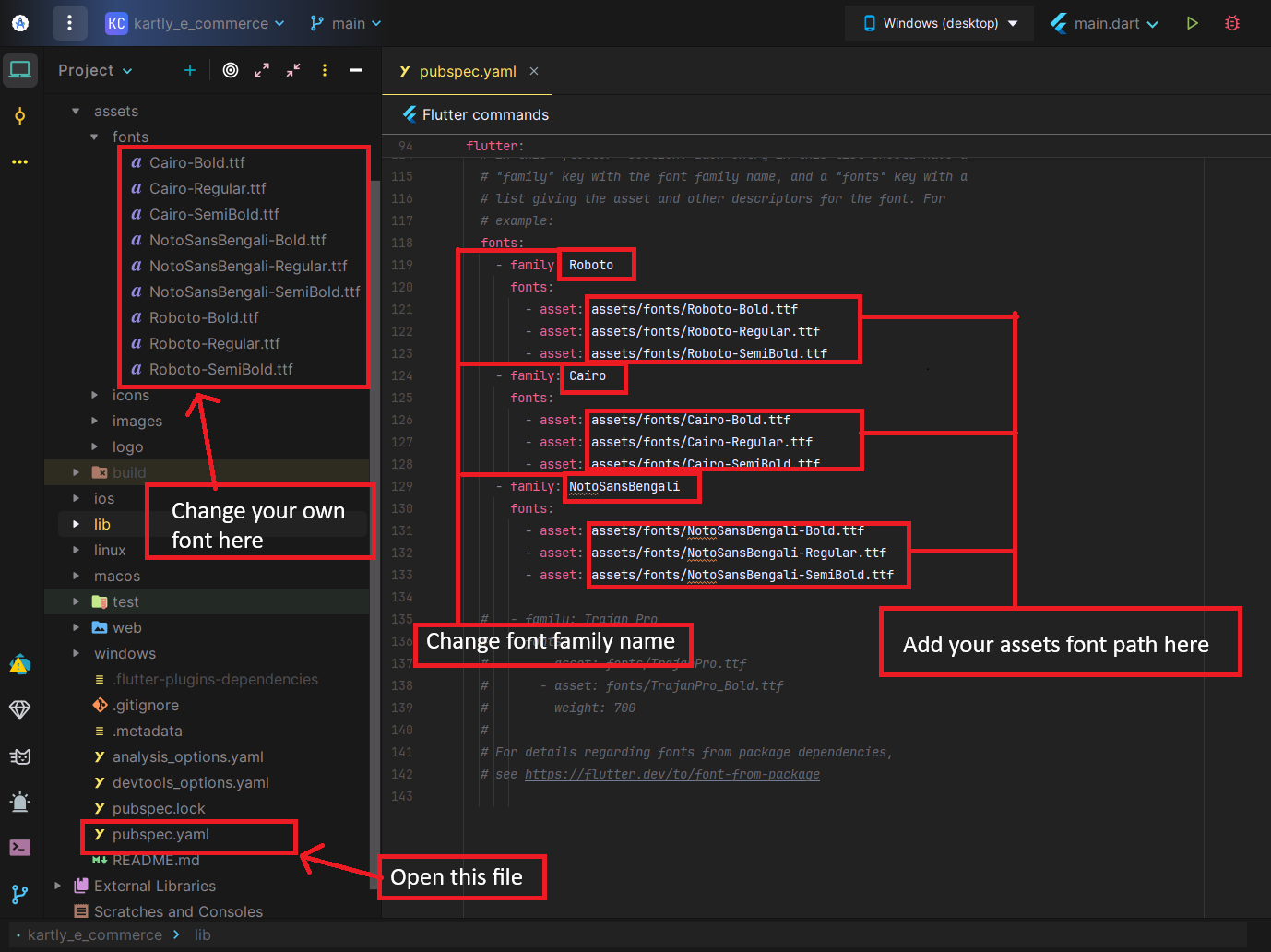
If you want to customize app font then follow
Open the <project>/assets/fonts/ folder. Set your fonts file
Open pubspec.yaml file, then change font family name & add your font assets path
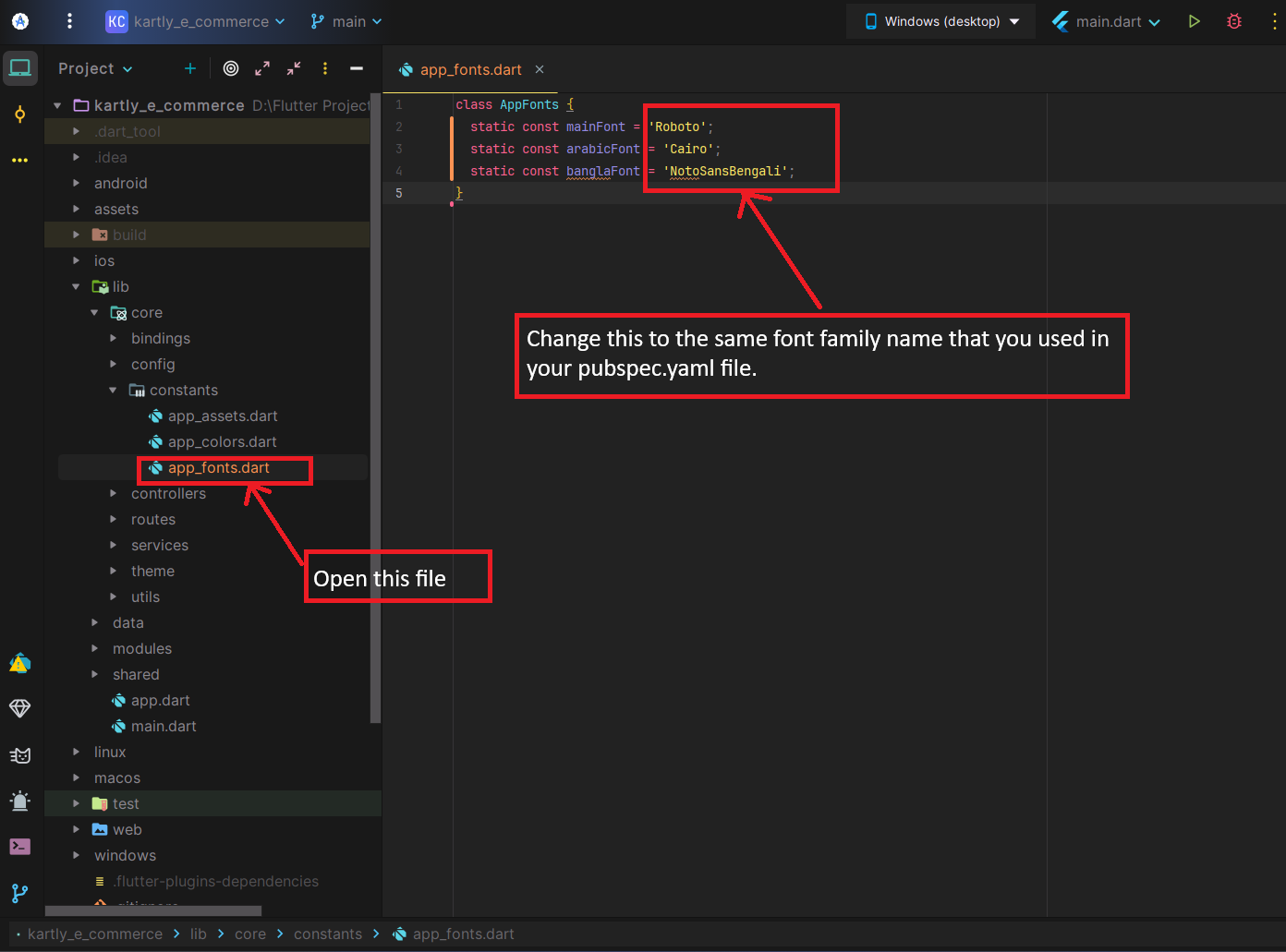
- Now open the <project>/lib/core/constants/app_fonts.dart file. Change the same font family name that you used in your pubspec.yaml file.
Change Language
Note:
You can change the app language directly from the admin panel.
No changes are required inside the app code.
Open Android Studio Terminal & Run
flutter clean
flutter pub get
flutter run