To See Products > Product Collections list follow the below instructions.
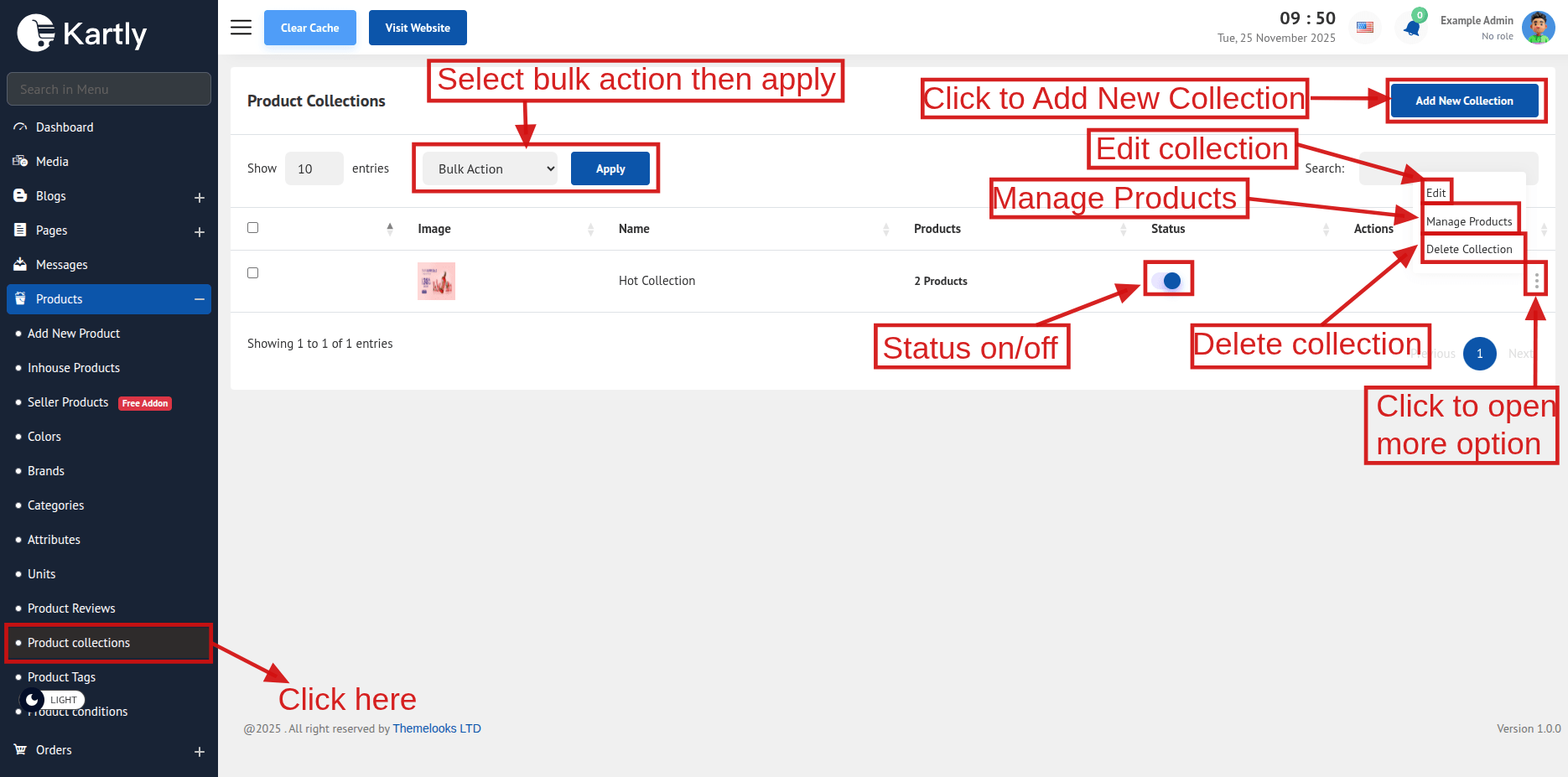
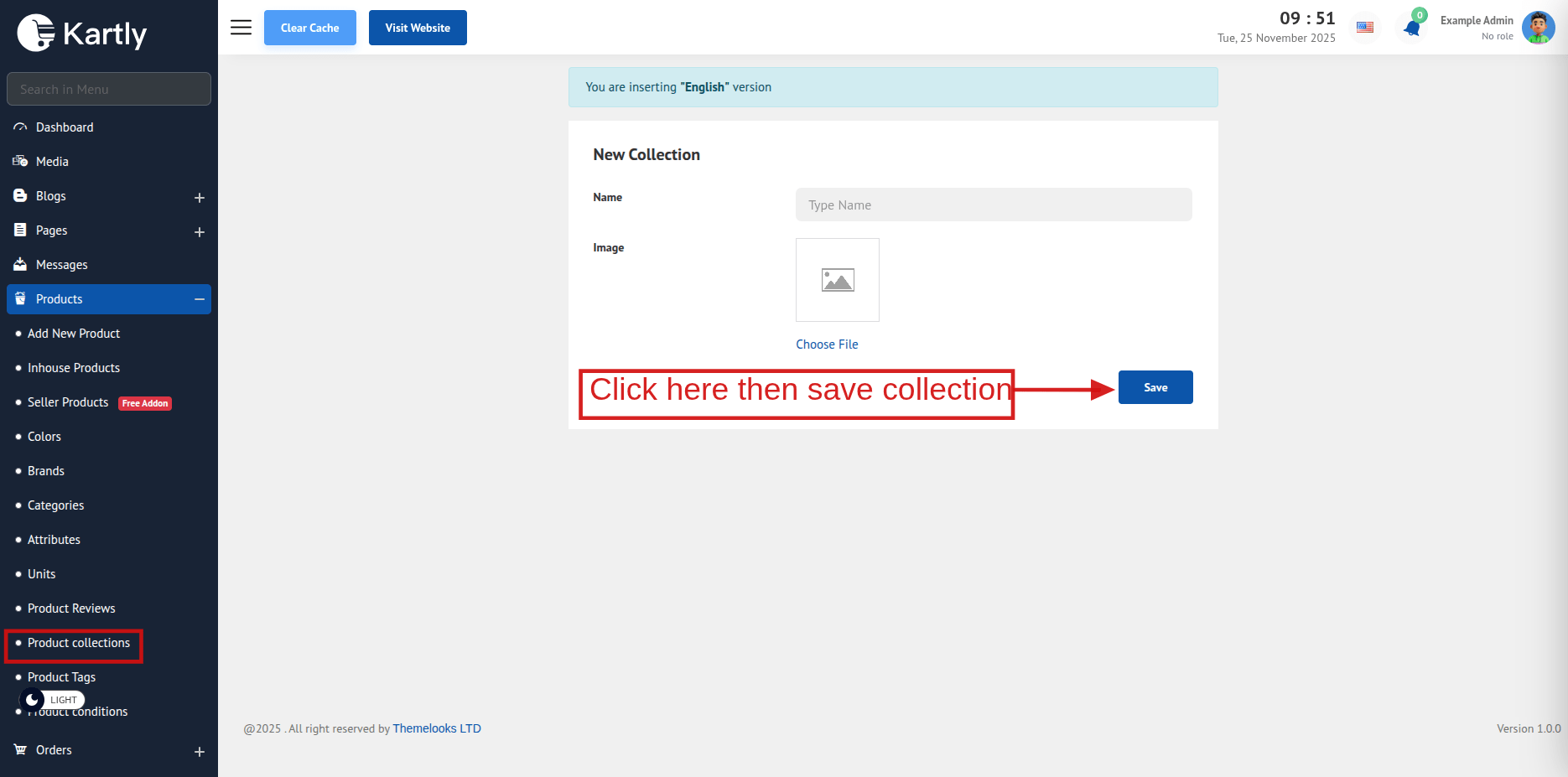
If you want to create a new collection click on Add New Collection on the top. It will redirect you to add new collection page.
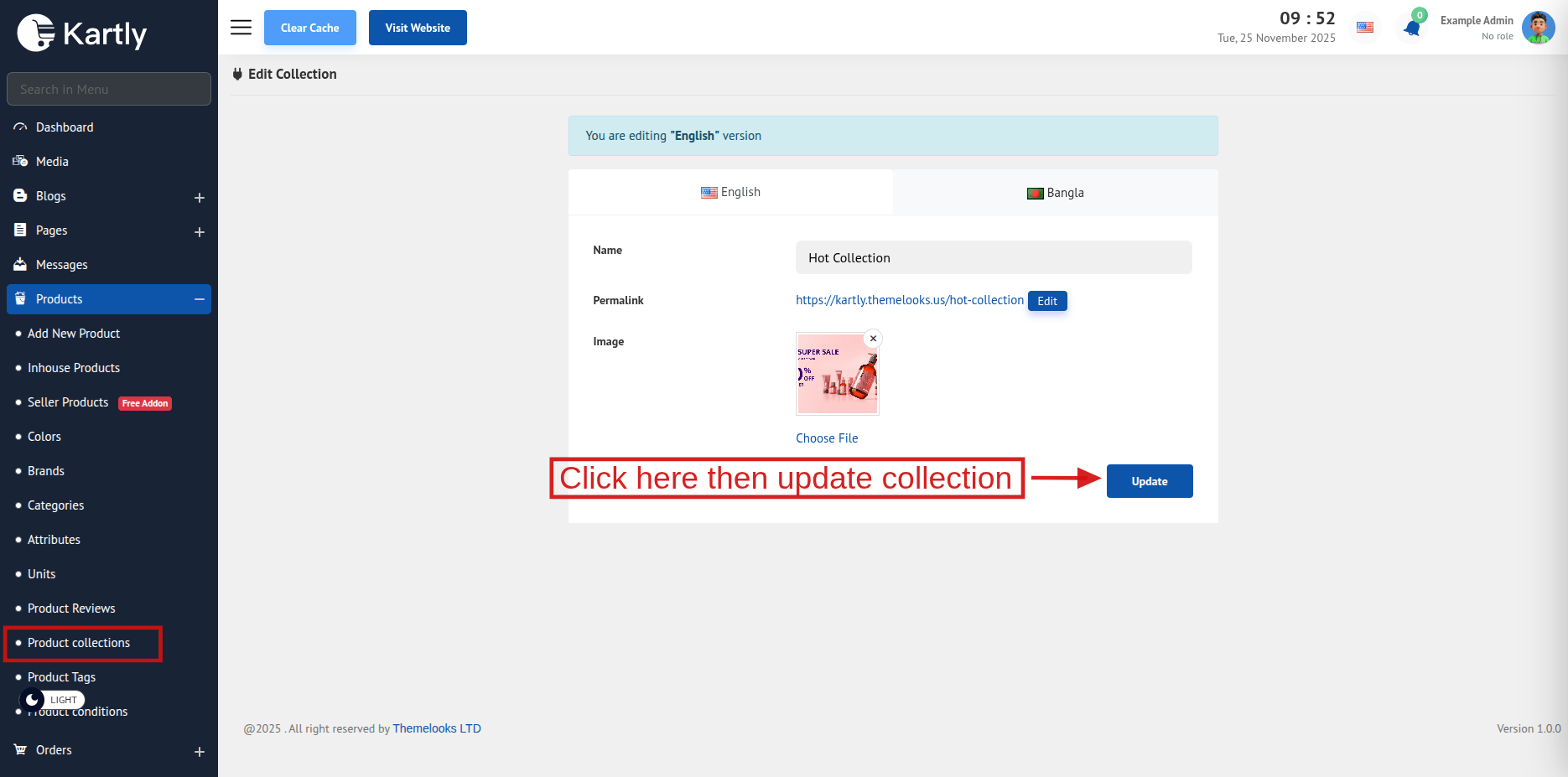
If you want to edit collection click Edit from collection list.It will redirect you to edit page. You can also delete a category by clicking Delete Link.
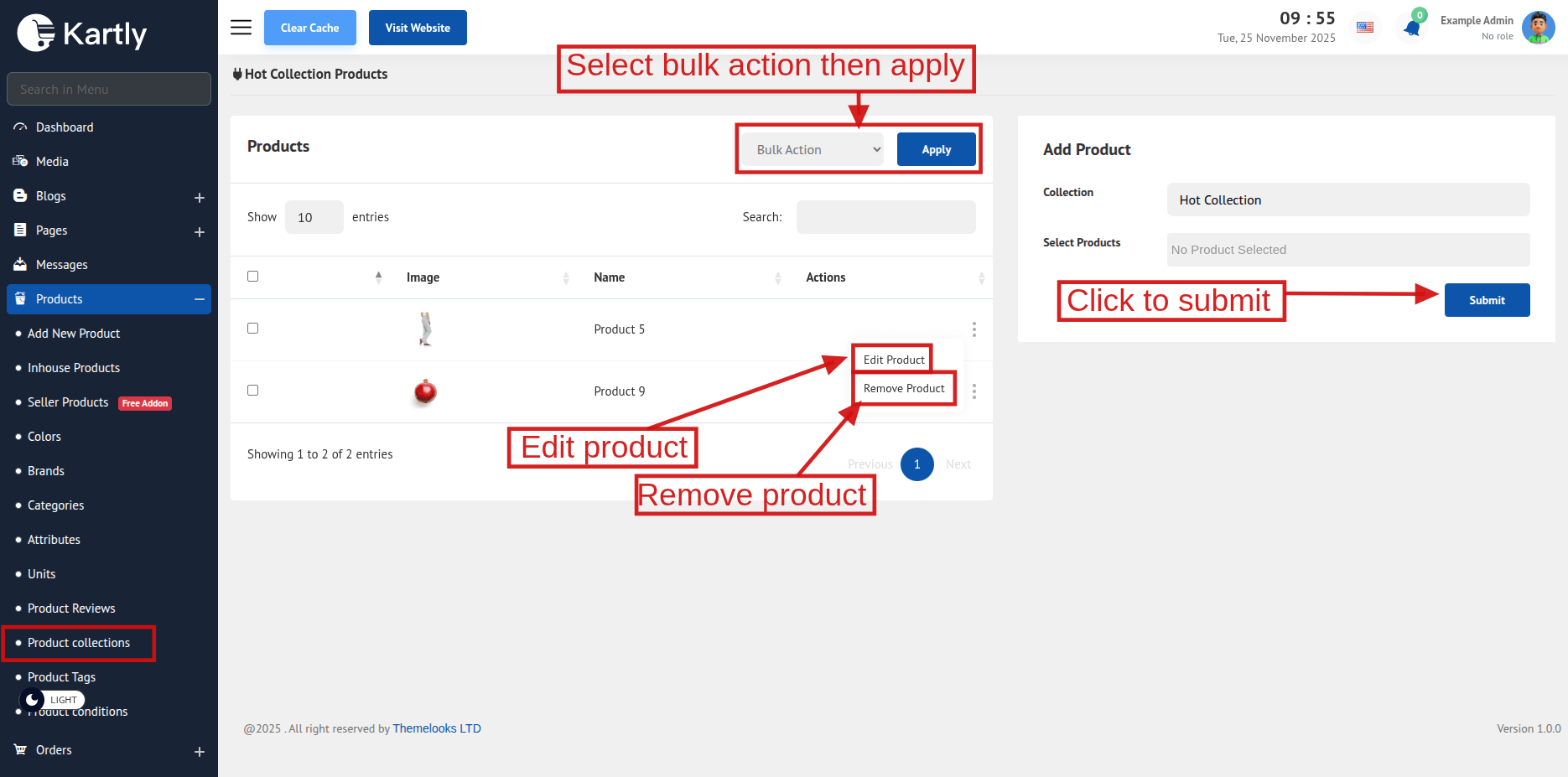
After Creating a new product collection then click Manage Products then you will be redirected to a collection product list. Where you can choose which product will be on this collection.Also you can add or view products on a collection from collection list .There if you click on products column. Also you can remove collection then click Remove Products then it remove.