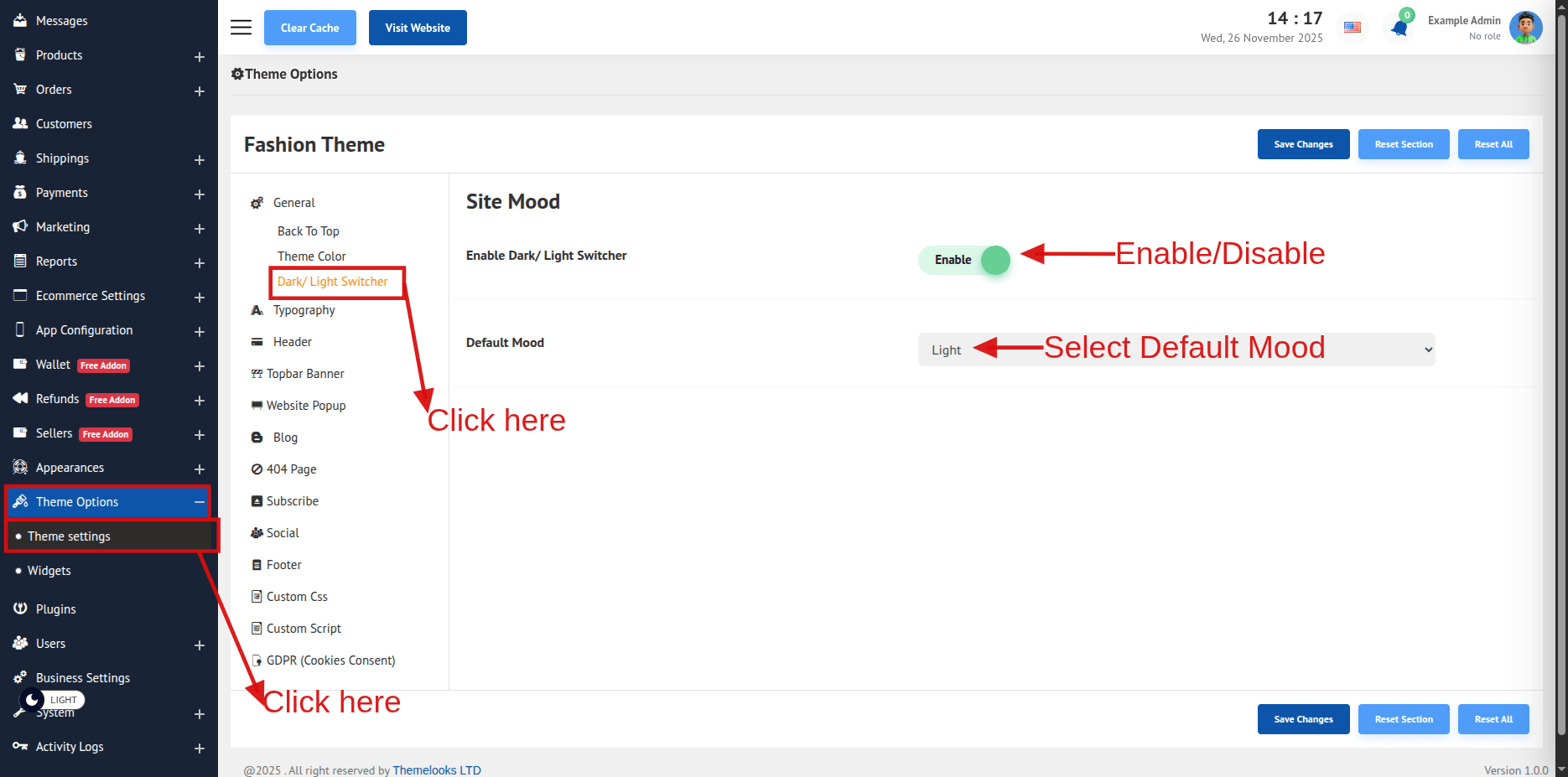
You can customize the Dark/ Light Switcher as you like. Follow Theme Options > Theme Settings. Here from the General tab click Dark/ Light Switcher, and the Dark/ Light Switcher button field will appear.
Enable Dark/ Light Switcher: Hide or Show the Dark/ Light button from this switch.
Default Mood: Select the default mood from this drop-down.
Click Save Changes to save theme options. Click Reset Section to reset only this section. Click Reset All to reset all theme options.